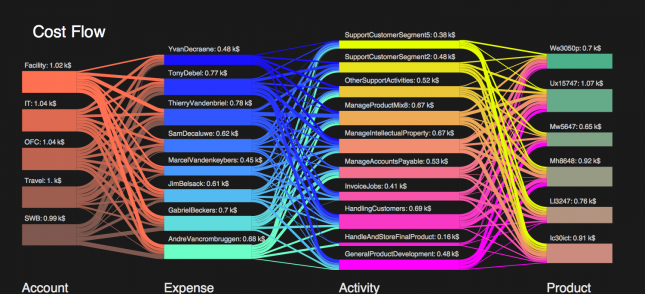
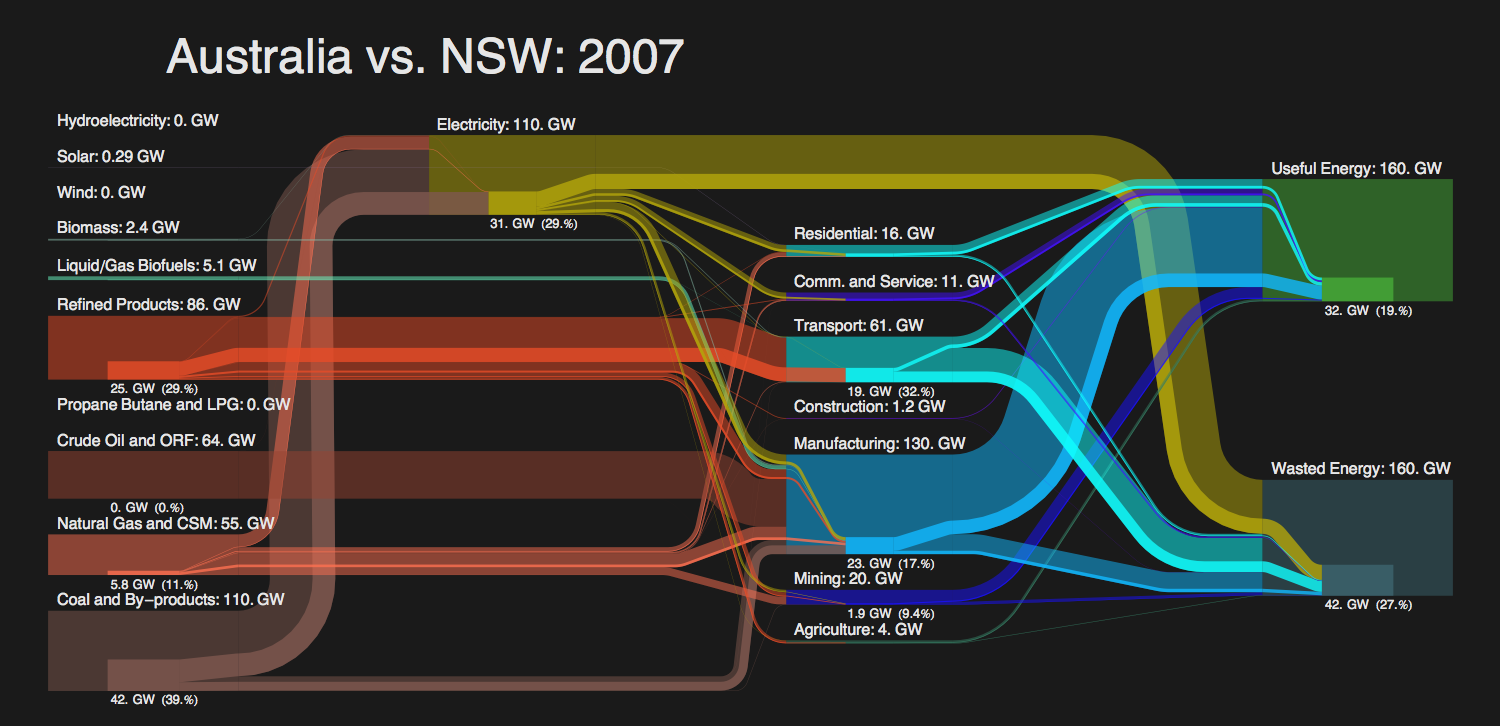
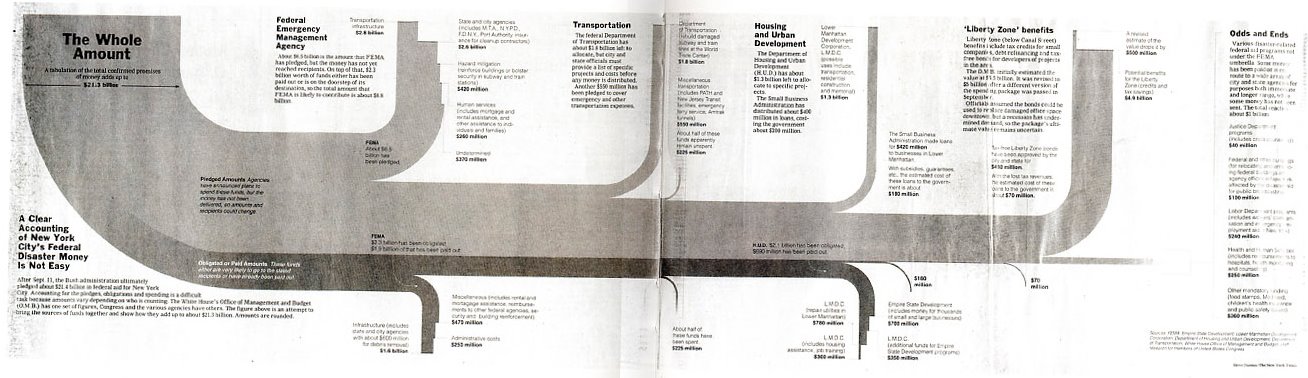
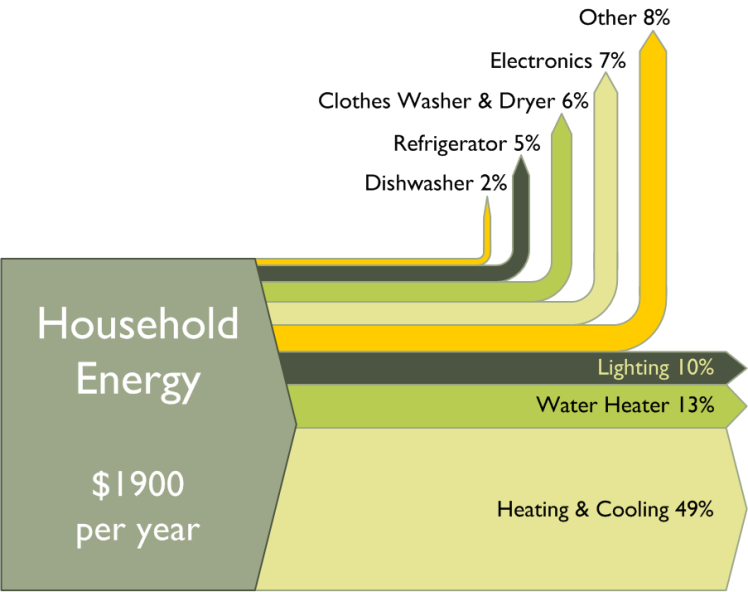
A similar Sankey-style diagram to the one I presented in my last post can be found on the visualcomplexity.com website.

It shows the estimated budgeted costs and earnings and was published by IBM back in 1940 (original source: H. Arkin, Graphs: How to make and use them (Harper & Brothers Publishers, New York, ed. Revised, 1940).

Estimated Budget Sankey Diagram (full view) by IBM, reproduced courtesy of visualcomplexity.com (http://www.visualcomplexity.com/vc/project.cfm?id=72). Original source: H. Arkin, Graphs: How to make and use them (Harper & Brothers Publishers, New York, ed

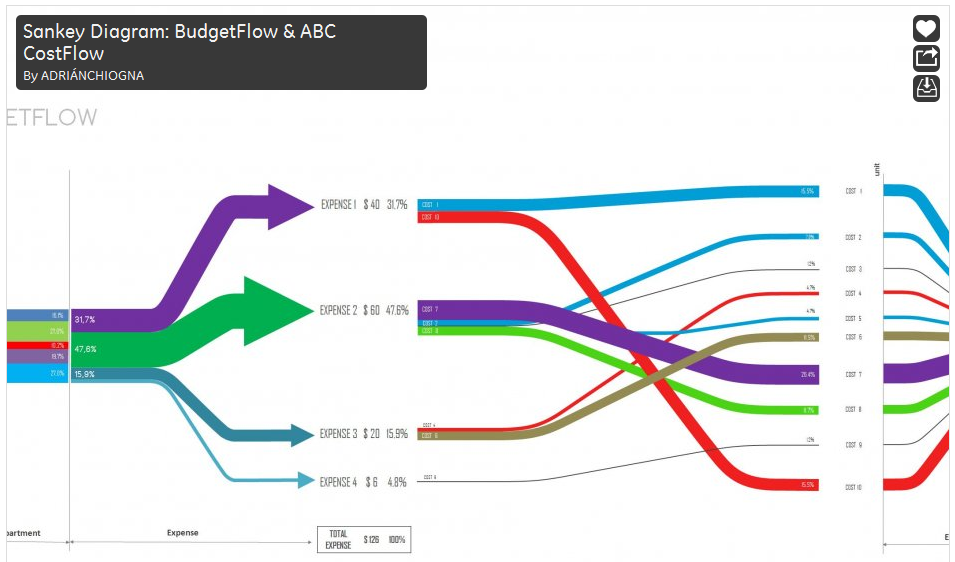
I am not sure if this fully qualifies as a Sankey diagram, since the flows are not directional. The earnings from sales of different products are broken down into arrows of different magnitude from/to the left. Costs for producing the products and overhead costs are on the right side. This chart thus constitutes a graphical representation of an accounting system, with values given in percent rather than as absolute figures.

Manuel Lima’s visualcomplexity website
has more interesting diagrams, and one can spend hours browsing the projects. I will be presenting a few more of them that qualify as Sankey diagrams here on the blog in the future.

Christian Behrens from the Department of Design at Potsdam University of Applied Sciences in Germany put up a website on Information Design Patterns. It features “design patterns that describe the functional aspects of graphical components for the display, behavior and user interaction of complex infographics”.

The website is modestly called an “application prototype” of a pattern browser, and is part of his Master Thesis titled “The Form of Facts and Figures”.

All patterns are tagged and can be searched. For each type he presents a fact sheet with description, usage, required data, and rationale. Christian provides an own example for each pattern, and a “real-world example” from an external source. Additionally, related diagram types are listed.

Sankey diagram showing the average monthly income and spendings of an average household.

The Sankey diagram is A 5.1. The example shows the average income and spendings of a Berlin household in 2005. Salary, asset revenues and public subsidies make up for the total income, shown in green. The income is spent on taxes, housing, food, clothing and other, shown as orange arrows.

I do miss a number stating the total (3015 Euro, roughly 4500 US$) as a label for the magnitude in the middle, but nevertheless this is a superb example of information presentation with a Sankey diagram. Just try to imagine the same information shown as two pie charts…

Enjoy browsing the Information Design Patterns website.

While browsing through some of my older bookmarks I discovered this page of what seems to be an information portal of one of a German federal ministry. The Sankey diagram for cost flows they show reminded me of a feature in the Umberto material flow management software, which I always wanted to inspect in more detail.

Using their 30-day trial version I worked with one of the simple demo examples they provide. Basically this software is a modeling tool for process systems and analysis of material flows within any kind of process system (production plant, supply chain, region, …). Sankey diagrams in Umberto are not the default view for material flows, but one can switch from the normal “Material Flow Network” view to the Sankey view.

Even though the Sankey diagram feature of the software would need some retouching, I was surprised and extremely pleased to see a “Cost Sankey” feature.

You can enter material direct cost for all materials (in the ‘bucket factory’ example of the demo all materials already have a “market price” property), as well as fixed and variable process costs. The variable process costs are spread over the process throughput using ‘machine hours’ or ‘work hours’ as cost drivers (i.e. to link cost creation to the material throughput). Thus, at every process (shown with blue squares in the flow diagram) the costs -or should I say: the value - increases. Going from left to right along the general flow direction in the Sankey diagram you can see clearly that the growing magnitude of the Sankey cost flows… a kind of ‘Value Added Sankey diagram’.

Cost Flow Sankey Diagram 1 - overall cost, increasing line width shows value added (screenshot from from Umberto demo version)Cost Flow Sankey Diagram 2 - cost per costing unit view, cost per (screenshot from from Umberto demo version)Cost Flow Sankey Diagram 3 - cost for individual product handled only in PE and watering can production (screenshot from from Umberto demo version)Cost Flow Sankey Diagram 4 - cost for PP based product, the production line PE is not used to create this product, hence not adding to costs (screenshot from Umberto demo version)

The above screenshots show the overall cost for the three products produced in the bucket factory (Fig.1), the cost per unit for each of the three products of the bucket factory (Fig.2).

The following two cost flow Sankey diagrams are for the individual costing units ‘plastic bucket’ and ‘watering can’ (Fig.3 and 4). Please note that on theses diagrams a part of the machines is not being used, so they don’t add any process costs to the costing unit (or don’t contribute to the value added). Unfortunately you can only display either mass or energy flows in one Sankey diagram, so the energy costs (from the circle labeled ‘other materials’) are not shown as a Sankey flow, even though they add to the price for each product.